
The Storage Decision That Shapes Your Entire Camera System
How you store security camera footage is one of the most consequential decisions in camera system design. It affects cost (both upfront and ongoing), reliability, privacy compliance, retention flexibility, and what happens to your footage when your internet goes down — which happens often in Florida during storm season.
This guide provides an honest comparison of cloud storage (VSaaS — Video Surveillance as a Service) versus local NVR-based storage for commercial and residential Florida properties.
How Local NVR Storage Works
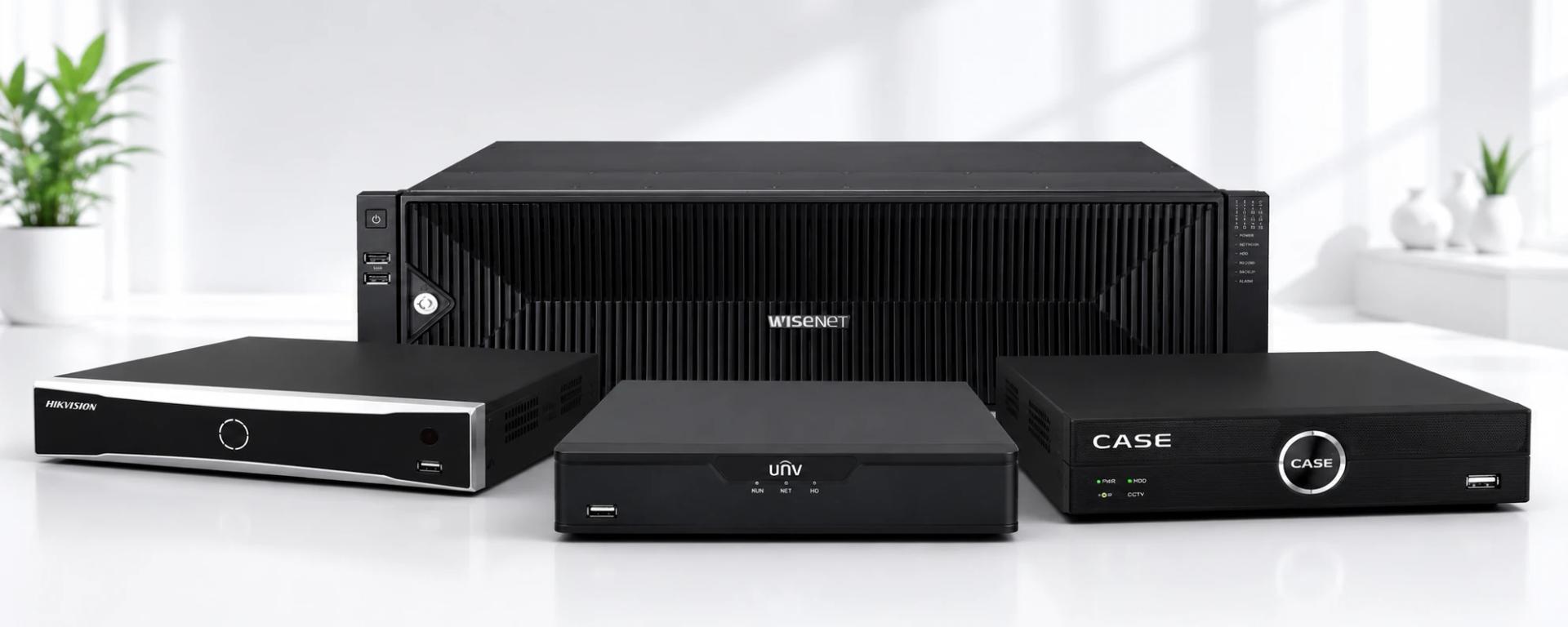
A Network Video Recorder (NVR) is a dedicated computer that receives, compresses, and stores video streams from IP cameras onto local hard drives. Video is stored on-premises — at your property, in your hardware, under your control. Access to recorded footage requires either physical access to the NVR or remote access through a VPN or manufacturer cloud relay service.
Storage capacity example: A 4-bay NVR with 4× 8TB surveillance-grade hard drives provides 32TB of local storage. At H.265+ compression with 16 cameras at 4MP, this supports approximately 45 days of continuous recording.
How Cloud CCTV Storage (VSaaS) Works
In a VSaaS (Video Surveillance as a Service) model, camera footage is transmitted over the internet to a cloud data center operated by the VSaaS provider. You pay a monthly per-camera or per-channel subscription fee. Footage is accessed through a web browser or mobile app from anywhere with internet access.
Leading VSaaS providers include Eagle Eye Networks, Arcules, Verkada, Axis Camera Station Cloud, and Milestone Husky X. Some camera manufacturers (Hikvision, Hanwha) offer optional cloud storage add-ons through their own platforms.
Cost Comparison: Cloud vs Local
Local NVR Storage — Upfront + Operating Cost
- NVR hardware (16-channel): $600–$1,500
- Hard drives (4× 8TB): $800–$1,200
- Total upfront: $1,400–$2,700
- Ongoing: Hard drive replacement every 3–5 years (~$400/year amortized), electricity (~$5–15/month for NVR)
- 5-year total cost (16 cameras): ~$3,500–$5,000
Cloud VSaaS Storage — Subscription Cost
- Typical pricing: $10–$35/camera/month for 30-day retention
- For 16 cameras at $20/camera/month: $320/month
- 5-year total cost (16 cameras): ~$19,200
For systems with 8+ cameras and 30+ day retention requirements, local NVR storage is dramatically less expensive over a 3–5 year period. Cloud storage offers lower upfront cost but significantly higher long-term cost at scale.
Reliability Comparison
Local NVR
- Records continuously regardless of internet connectivity
- No impact from ISP outages, cloud provider outages, or service discontinuation
- During Florida hurricanes, local storage continues recording (if power is maintained via UPS)
- Single point of failure: NVR hardware failure stops recording — mitigated by RAID or edge recording cards in cameras
Cloud VSaaS
- Requires reliable internet connection — if internet goes down, recording stops
- Florida internet outages during tropical storms and hurricanes can last days to weeks
- Dependent on cloud provider uptime (typical SLA: 99.9% = ~8.7 hours downtime/year)
- Bandwidth-intensive: a 16-camera system uploading 4MP H.265+ streams consumes 16–32 Mbps of upload bandwidth continuously
- Some VSaaS providers offer edge caching (local buffering) to bridge internet outages — check this feature carefully before committing
Privacy and Data Control
Local NVR
All footage stays on your hardware, at your premises, under your control. No third party has access to your camera footage unless you grant it. Access auditing is internal.
Cloud VSaaS
Your footage is stored on a third-party server. Review the VSaaS provider's:
- Data location (which country/state are servers in?)
- Encryption standards (at-rest and in-transit)
- Law enforcement access policy (will they hand footage to police without notifying you?)
- Employee access policy (can their staff view your footage?)
- What happens to your footage if you cancel? How long is it retained?
For many businesses, the privacy implications of storing sensitive footage with a third party are a significant concern.
Compliance Considerations
HIPAA (Healthcare)
Healthcare facilities storing patient areas on cloud VSaaS need to ensure the provider is a HIPAA Business Associate and provides a BAA (Business Associate Agreement). Failure to secure a BAA exposes the healthcare entity to HIPAA penalties. Most VSaaS providers offer BAAs; verify this before deployment in healthcare environments.
PCI DSS (Retail/Payment Card Processing)
PCI DSS requires that cardholder data environments (checkout areas) be secured with appropriate access controls. Cloud-stored footage of payment terminals should use a PCI-compliant VSaaS provider. Alternatively, local storage with restricted access is often the simpler compliance path.
Florida Public Records Law
Government entities and public facilities in Florida are subject to Florida's Sunshine Law for public records. Camera footage may be subject to public records requests. Local storage with defined retention policies is typically easier to manage for public records compliance than cloud storage with variable retention terms.
When Cloud Storage Makes Sense
Despite the cost premium, cloud VSaaS is a strong choice in specific scenarios:
- Remote or unmanned sites: If a location has no IT staff and no way to maintain NVR hardware, cloud storage eliminates the local hardware concern
- High-security critical sites: Cloud storage ensures footage survives even if local hardware is stolen, damaged, or destroyed during an incident
- Small camera counts (4 cameras or fewer): At small scale, the cost premium is manageable and the simplicity of cloud management is valuable
- Temporary deployments: Construction sites, event venues, popup retail — where installing and managing local NVR infrastructure isn't practical
- Multi-site organizations with centralized IT: VSaaS simplifies management of 50+ locations without requiring IT staff at each site
The Hybrid Approach
Many larger deployments use a hybrid storage model:
- Primary storage: Local NVR with 30–90 days retention on high-capacity drives
- Cloud backup: Critical camera footage (entry/exit, cash register, server room) is simultaneously backed up to cloud storage as a secondary copy
- Edge storage: SD cards in cameras provide buffering and backup in case the NVR fails
This approach provides the reliability and cost efficiency of local storage while adding the off-site backup protection of cloud storage for the most critical footage.
FAQ
What internet speed do I need for cloud camera storage?
Each 4MP H.265+ camera requires approximately 1–2 Mbps of upload bandwidth for continuous recording. For 10 cameras, you need at least 10–20 Mbps upload capacity consistently available — in addition to your normal business traffic. Most commercial internet plans in Florida provide 20–100 Mbps upload, but check your actual upload speed (not advertised speed) during peak hours.
Can I switch from cloud to local storage?
Yes, but you may need to change camera systems. Some cameras are designed specifically for VSaaS (Verkada, for example, uses proprietary hardware). Standard IP cameras (Hikvision, Hanwha) can work with both local NVR and compatible cloud services. If you're investing in new cameras, choose standard IP cameras for maximum flexibility.
What happens to my footage if I stop paying for cloud storage?
Most VSaaS providers delete footage within 30–90 days of subscription cancellation. Review the provider's data retention and deletion policy before committing. Ensure you can export footage in a standard format (MP4, H.264/H.265) before canceling if you need to retain specific recordings.
Get Help Choosing the Right Storage Architecture
IDS CCTV designs camera systems with storage optimized for your specific retention requirements, budget, and compliance needs. Contact us for a free system design consultation. We supply Hikvision NVRs, enterprise RAID NAS solutions, and advise on VSaaS options for clients where cloud storage is the right fit.